

How to Make Efficient Twitter Background that Fits Most of the Screen Size
How to make a twitter background image that fits most of the screen size? This article describes the plan and implementation.

Twitter is not only become a Trend, it’s also an unique marketing and communication platform. Twitter comes with few preset themes, yes they have some glitters but those are used by millions of people. So why not make your own Twitter background Image that will show off your uniqueness, at the same time give different and outstanding impressions. Well, design is easy for the designers to do but not as easy for anyone to implement it. I am not a designer and I only know a little bit of here and there, so it was pretty tough for me. Anyway, you should know there are almost a hundred types of Screen resolutions peoples are using and almost impossible to fit the background for any screen size. So you need to narrow down the audiences. Now a days most people uses screen resolution higher than 1200 pixels. So we should narrow down and try to make the screen work for 1200 or higher pixel display. I’ve seen several sites those who made twitter background image of 2048 pixel width. A jpg file with that wide view would be more than 400KB easily.
So how to cover any screen size higher than 1200 pixels? Here is how:
- Unless we are decided to use a tiled image, we should put our designs aligned to the left and top, basically you have some space on the left and top
- Anything information or art objects you want to put on the left side keep them in between 200 pixels width
- Do not cross the height of 570pixels for any of your information or photo objects
- If you have a background scenery object/gradient, just make sure they fade out to a single color on the right side, because twitter allows you to setup your bakground color, so you can match the fade to background color to your twitter background color, Savvy!!
- Do not use horizontal lines, in case you use then fade them out to the right and blend it to your selected twitter background color. Also remember there is not much of spacing left in between twitter logo and twitter posts, so align it nicely
- Capture your twitter screen and set it as photoshop layer, set the transparency to 10% so you can align your objects accordingly
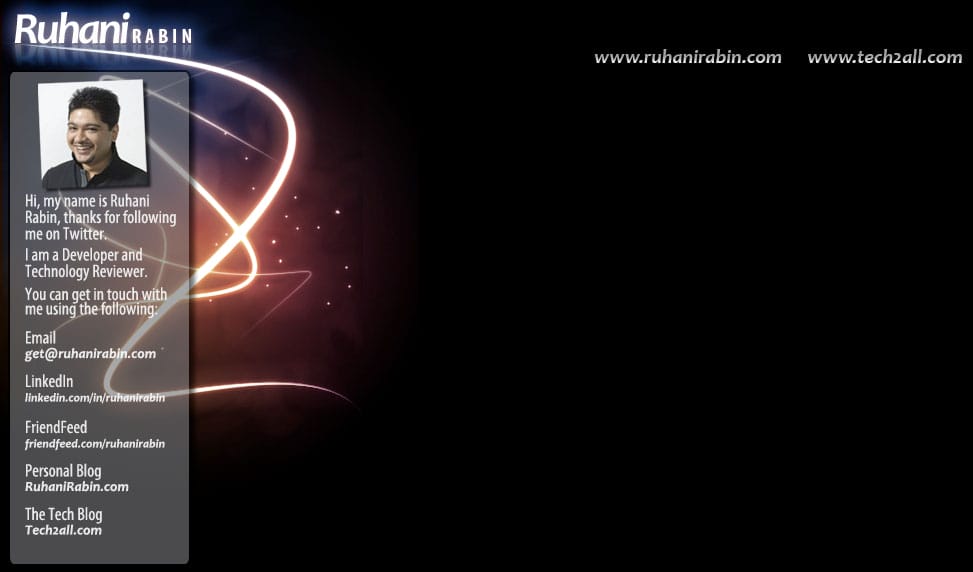
Here is a screenshot of my twitter profile. The photoshop psd file includes the exact template. After making the JPG it is 47KB in size.
Well this should do it, rest it upon your graphics skills (talking like I’m so pro, funny i know!). I’ve seen people designed their twitter background which is almost 600KB jpg file, trust me its not easy for a browser to download and display a 600KB background jpg. With a little bit of creativity you can put an impression within 150KB or even less. Feel free to download my photoshop template that I did for my own Twitter background. I know it might not be so nice as you expected but it should give you the overall idea and a head start. Don’t forget to check out my twitter Profle or follow me on twitter.


Now here is the file you want…
24 responses to “How to Make Efficient Twitter Background that Fits Most of the Screen Size”