10+ Apps to boost up your brand new Android Phone
 Reading Time: 8 minutes
If you haven’t noticed, I have actually done a big review of HTC Desire (Android 2.1 OS). So that lead me to understand some Android applications as well. One of the benefit of having HTC Desire is, there are some preloaded Android apps so that you don’t have to download them separately. So I’m going to introduce you with some smart and efficient applications which will boost the productivity of your new Android Phone. Having said that, all of the applications I’m going to mention are tested on Android 2.1 OS. Almost all of these applications are free unless stated otherwise.
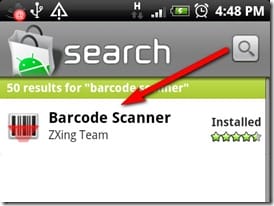
How to download these applications? Just find the “Market” icon on your phone and search for the application name. Now to make the most convenient way of installing these applications you should install “Barcode Scanner (open this link from your phone browser)” from the Android “Market” first (See below).
Easily Craft Stunning WordPress Websites that Excel in Speed and Design!
Divi AI Empowers You to Effortlessly Create Content and Produce Images Right within The WordPress Builder.
There are 2 ways to install the applications from this page.
- Follow the link under each product using your Android Phone browser (Data charges may apply)
- Scan the QrCode from your laptop or desktop screen using “Barcode Scanner“
Not got a laptop or desktop? Visit Broadband Genie for Laptop Deals
Let’s get down to the list shall we..
Table of Contents
Barcode Scanner
My Rating [xrr rating=4.75/5]
Install using Android Market link (only browse with your Android phone)
QrCode: (Scan this from your laptop and desktop screen using phone’s Barcode Scanner application)
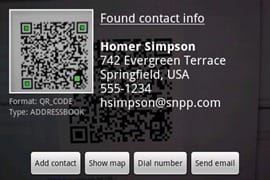
Scan barcodes on CDs, books, and other products, then look up prices and reviews, or search for a word in a book and find where it occurs. You can also scan QR Codes containing URLs, contact info, calendar events, etc. A must have for any Android user.
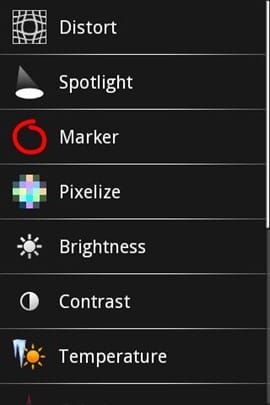
PicSay Photo Editor (Free)
My Rating [xrr rating=4/5]
Install using Android Market link (only browse with your Android phone)
QrCode: (Scan this from your laptop and desktop screen using phone’s Barcode Scanner application)
Powerful and award winning photo editor. Color-correct your pictures and add word balloons, titles, graphics, and effects like distortion. All in a fun, intuitive, and easy-to-use interface.. A must have for any Android user.
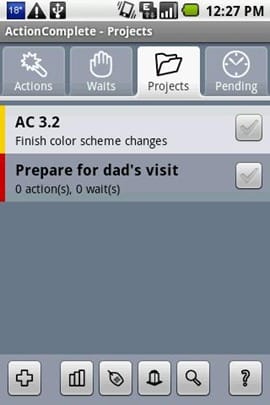
ActionComplete
My Rating [xrr rating=3.75/5]
Install using Android Market link (only browse with your Android phone)
QrCode: (Scan this from your laptop and desktop screen using phone’s Barcode Scanner application)
ActionComplete is a high-tech to-do list for your Droid phone. It makes it easy to organize your tasks and appointments. You can even set reminders that will pop up based on where you are, allowing you to remind yourself of certain tasks at the office, others at the home, and so on. A nice productivity application for any Android user.
Ringdroid
My Rating [xrr rating=4/5]
Install using Android Market link (only browse with your Android phone)
QrCode: (Scan this from your laptop and desktop screen using phone’s Barcode Scanner application)
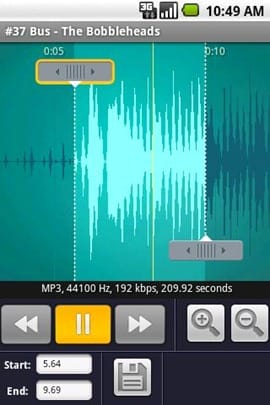
This application is actually really cool. It lets you manipulate song tracks, so that you can use songs from your music library as ring-tones. What’s great about that? Well say you want the ring-tone to start 1min 30secs into the song, and last for 20 seconds (chorus maybe?), this application makes life easy for you.
- Supports MP3, WAV, AAC, MP4, 3GPP and AMR files.
- Song editing
- Create ring-tones from edited song
A nice ringtone editing application for any Android user.
Uninstaller
My Rating [xrr rating=4.5/5]
Install using Android Market link (only browse with your Android phone)
QrCode: (Scan this from your laptop and desktop screen using phone’s Barcode Scanner application)
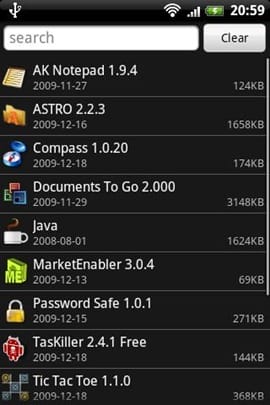
Fastest and simplest uninstall tool on android!
Features:
- Remove user application easily by single click!
- Display application name,version,install time and size
- Search application by name
- Various sort mode
- Ignore system applications that can not be uninstalled
A very useful application when you’ve too many applications to uninstall.
Astro File Manager
My Rating [xrr rating=4.25/5]
Install using Android Market link (only browse with your Android phone)
QrCode: (Scan this from your laptop and desktop screen using phone’s Barcode Scanner application)
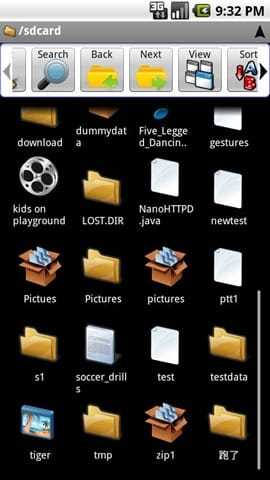
ASTRO File Manager is a very powerful file manager for Android. It really is a must on your Android device when it comes to managing files on your microSD card. It’s packed with features, and here’s some of them:
- Download any file with browser
- Browse / create / extract zip files
- Back up and restore public applications to the SD card
- Create shortcuts
- Send files as attachments
- Thumbnails
- Multiselect
- Search
- Image, Text, HTML Viewers
A very fast file manager, a must have for Android devices.
Twicca Beta
My Rating [xrr rating=4.5/5]
Install using Android Market link (only browse with your Android phone)
QrCode: (Scan this from your laptop and desktop screen using phone’s Barcode Scanner application)
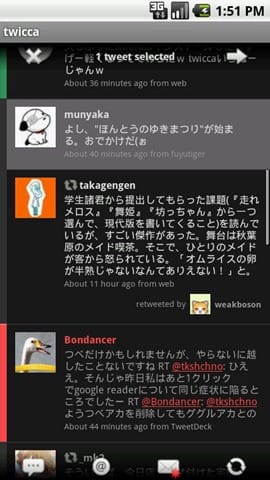
twicca is twitter Client for Android that you won’t be able to stop using.
Includes:
- Notification
- Auto pager
- Search
- Post with photo/video upload
- Geotag
- Saved search
- Recent hash tags
- View Conversation
- Lists
- Retweet
- Trends
- Color label
- Excellent Widgets
I’ve tested all the twitter applications for Android but this is my favorite and once you start using this one there is no going back to any other.
aCar (Productivity)
My Rating [xrr rating=4.25/5]
Install using Android Market link (only browse with your Android phone)
QrCode: (Scan this from your laptop and desktop screen using phone’s Barcode Scanner application)
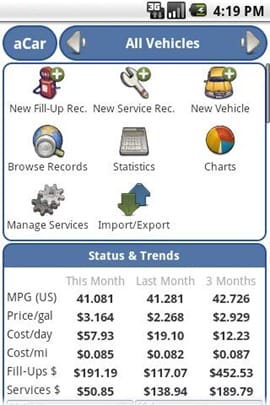
Track the maintenance, fill up, fuel mileage & expenses of your car. Service reminders (e.g. Engine Oil) & useful statistics, charts & reports; plus backup/restore & export/import to/from various sources.
A productive application to maintain your car history using your Android phone.
FxCamera
My Rating [xrr rating=4.75/5]
Install using Android Market link (only browse with your Android phone)
QrCode: (Scan this from your laptop and desktop screen using phone’s Barcode Scanner application)
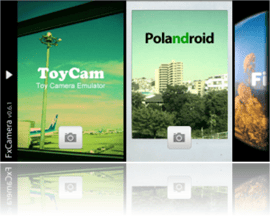
FxCamera enables you to take a picture with various effects.
– ToyCam
– Polandroid
– Fisheye
– SymmetriCam
– Warhol
– Normal
A very nice add-on for your phone camera with additional effects.
Tip Calculator
My Rating [xrr rating=4.25/5]
Install using Android Market link (only browse with your Android phone)
QrCode: (Scan this from your laptop and desktop screen using phone’s Barcode Scanner application)
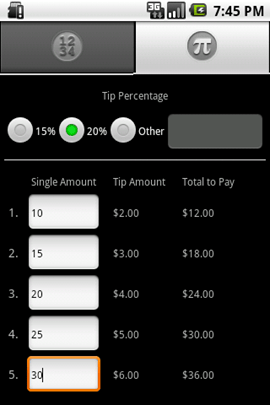
Simple tip calculator which allows you to split your bill. Switch between basic and advanced views with the tab.
Simple yet effective tool while hanging out with a group of friends.
Bonus Apps:
Gowalla
My Rating [xrr rating=4/5]
Install using Android Market link (only browse with your Android phone)
QrCode: (Scan this from your laptop and desktop screen using phone’s Barcode Scanner application)
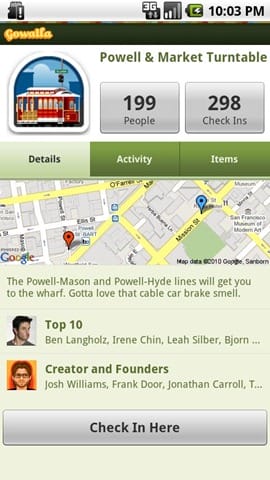
Gowalla is the easiest way to share places you go with friends. Download the app to discover eateries, coffeehouses, hotspots, hangouts, shops, landmarks, parks, museums and more.
Share your experiences through Gowalla with friends on Facebook and Twitter, then stamp your passport to earn rewards at the places you visit.
Official application from Gowalla.com.
Foursquare
My Rating [xrr rating=4/5]
Install using Android Market link (only browse with your Android phone)
QrCode: (Scan this from your laptop and desktop screen using phone’s Barcode Scanner application)
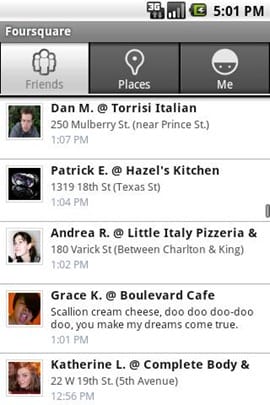
Foursquare helps you find new ways to explore your city. See where your friends are, learn about the places they frequent and unlock rewards as you travel.
See foursquare.com for more info.
Latest Release: Check Preferences -> Changelog for details!
Official application from Foursquare.
There you have the 10+ Applications you need to get started with your brand new Andriod phone. Do you have a suggestion of a nice and useful app? Feel free to suggest.
Advanced Task Killer application is not good to use with Android OS. Found out why?
As you have noticed I haven’t added some applications like official Facebook, official Twitter application, QuickOffice, PDF Viewer which are already included with my HTC Desire.
Some of the link on this post may have affiliate links attached. Read the FTC Disclaimer.