

Discover the top free ISO creators (Windows) for efficient and easy management of ISO files. From comprehensive tools like PowerISO to user-friendly options like Ultimate ISO Maker, find the perfect ISO creator to meet your needs. Don’t forget to check out the Top Free Tools for Windows 11, too.
What is an ISO?
An ISO image or file is a digital archive format that contains all the necessary program files, including system files, in a single file. This format is handy for distributing significant software with multiple files, as it facilitates easy downloading and storage.
Key Features to Consider in an ISO Creator
Burn and Verify Functionality
A good ISO creator should not only allow you to burn an ISO file but also enable you to verify the burnt image. This feature is crucial to prevent the frustration of corrupted burns.
Mounting ISO Images
The ability to mount an ISO image is essential. This function allows the ISO file to act like a virtual optical drive, making it recognizable as a physical drive-by application and program on your device.
Top 8 Free ISO Creators Available for Windows
1. ISO Workshop
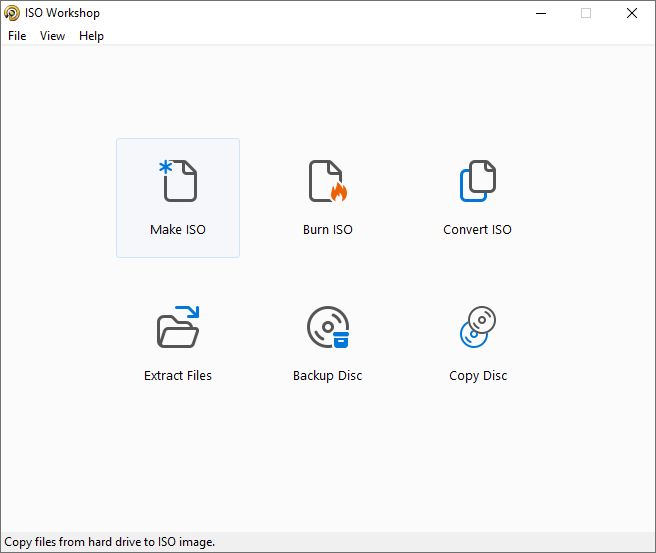
Comprehensive ISO Management
ISO Workshop is a comprehensive software for managing and converting ISO images and burning and copying CDs, DVDs, and Blu-ray discs. This Windows desktop application offers a user-friendly interface, making it easy to create ISO images, extract files, create backups, and make exact copies of discs. It’s suitable for personal and commercial use and supports Windows 7/8/10/11 in 32- and 64-bit versions.
Key Features of ISO Workshop include:
- Creation of standard or bootable ISOs with various file systems.
- Burning of ISO or other disc images to CD, DVD, or BD.
- Browsing and extracting files from different disc image formats.
- Copy CDs, DVDs, or Blu-ray discs to ISO or BIN images.
- Converting disc images to ISO or BIN.
- On-the-fly exact copies of CDs, DVDs, or Blu-ray Discs.
The software is efficient in disc burning, has a clean interface, requires a small installation size, and uses minimal CPU resources. The latest version, ISO Workshop v12.5, released on December 11, 2023, includes an updated disc-burning SDK and improved compatibility with the latest Windows 11 revision.
For more information, visit the ISO Workshop website.
2. DoISO
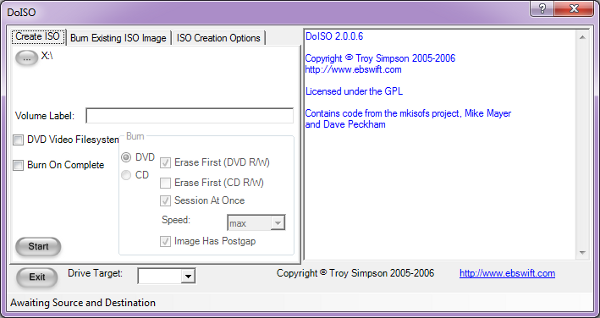
Free ISO CD/DVD Burning and Creation Software
DoISO: Free ISO CD/DVD Burning and Creation Software
DoISO is a versatile, free software designed to create and burn Windows ISO images. It offers a user-friendly interface for those who need to make ISOs of any size, including DVD-sized ISOs, without the complexity of manual command-line operations. Its creation is rooted in the need for an easy-to-use GUI for ISO making, leading to the development of this handy tool.
Key Features of DoISO include:
- Simple, GPL’d frontend for mkisofs, a powerful ISO-creating utility.
- Ability to create ISOs of any size, suitable for CDs or DVDs.
- Includes mkisofs capabilities for generating DVD Video filesystems compatible with standard DVD players.
- Supports creating bootable CDs/DVDs.
- Enables automatic combination of duplicate binaries to save space.
- Offers basic burning capabilities using the Windows 2003 Resource Kit.
- Supports pre-erasing rewritable CDs/DVDs.
- A newly added feature for burning CDs and DVDs has been added.
- Integrated with Windows Explorer for convenience.
Requirements:
- Microsoft .Net Framework 2.0.
- (Optional) Microsoft Windows 2003 Resource Kit Tools for burning.
For more detailed information, visit EBSWIFT.COM.
3. ISODisk
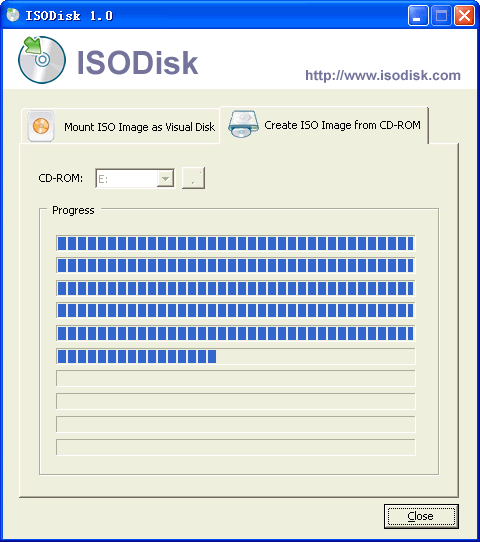
Virtual Drive Creation
ISODisk is a free, powerful tool for handling ISO disk images, offering features to create and mount ISO images. It’s designed for ease of use, allowing users to quickly create ISO files from CD/DVD-ROMs without additional virtual drive software. ISODisk enables the mounting of ISO images as if they were actual CDs or DVDs, facilitating access to their contents through Windows Explorer.
However, there are limitations for Windows 7 users. The ISO creation feature works fine, but the mounting feature may encounter issues. Microsoft’s free Virtual CD-ROM Control Panel is recommended for mounting ISO files in Windows 7 (32-bit).
Key Features of ISODisk include:
- Mounting ISO images as internal virtual CD/DVD devices.
- Capability to mount ISO images over a Local Area Network.
- Support for creating up to 20 virtual CD/DVD drivers.
- Easy and quick creation of ISO files from CD/DVD-ROMs.
- User-friendly interface.
System Requirements:
- Windows XP/2003/Vista.
- Intel Pentium 166MHz or higher.
- At least 64MB of memory.
- A minimum of 10MB hard disk space.
As a freeware, ISODisk is available at no cost, making it an accessible tool for users.
For more details, visit ISODisk.com.
4. ImgBurn
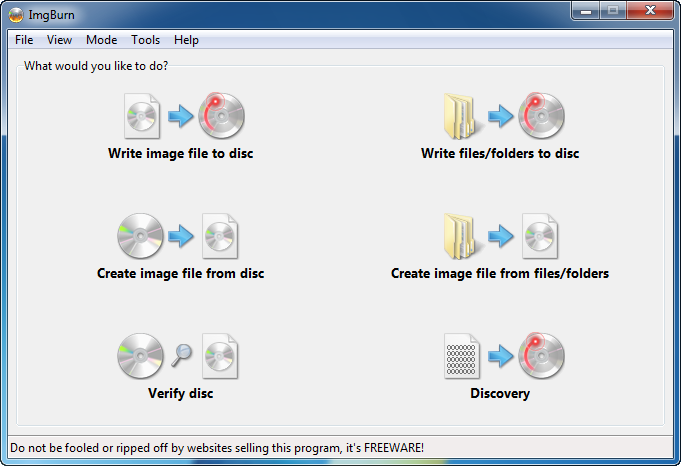
Versatile ISO/DVD/CUE Image File Handling
ImgBurn is a versatile, lightweight burning application suitable for handling a variety of disc formats, including CD, DVD, HD DVD, and Blu-ray. It’s a free tool packed with features, making it a valuable addition to anyone’s software toolkit.
Key Features of ImgBurn:
- Supports multiple disc image formats like BIN, CCD, CDI, CUE, DVD, ISO, and more.
- Capable of burning Audio CDs from various file types, including AAC, MP3, WAV, etc.
- Builds DVD Video discs, HD DVD Video discs, and Blu-ray Video discs with ease.
- Offers multiple modes for diverse tasks: Read, Build, Write, Verify, and Discovery.
- It is compatible with all Microsoft Windows OS versions and works with Linux via Wine.
- Advanced settings for burning DVD Video discs and supports the latest drives without updates.
- Image queue system for burning multiple images and layer break selection for double-layer DVDs.
- Use the Automatic Write Speed feature to customize burn settings per media type and drive.
- They are designed for both beginners and advanced users with configurable options.
As of the latest update on June 16th, 2013, ImgBurn stands at version 2.5.8.0.
ImgBurn is completely free, offering a robust set of features at no cost. While there’s no specific review section on the official website, the tool’s longevity and continued updates reflect its reliability and user satisfaction.
Visit the Official ImgBurn Website for more information and downloads.
5. Ultimate ISO Maker
Lightweight and Fast
Ultimate ISO Maker is a convenient software solution for users needing to create ISO files from CDs or DVDs. This lightweight tool simplifies the ISO creation process, allowing for easy duplication, backup, and use with CD emulation software. It is especially beneficial for those looking to digitize their CD collections or create secure backups.
Ultimate ISO Maker is ideal for novice and experienced users due to its straightforward interface and portable size.
Key Features of Ultimate ISO Maker include:
- Simple, intuitive user interface for easy navigation.
- Quick and efficient ISO file creation from CDs/DVDs.
- Lightweight and portable, it is perfect for use on multiple computers.
- Enables duplication and backup of CD/DVD content.
- Compatible with CD emulation software.
- No installation is required, and it can run directly from a USB drive.
While it excels in its primary function, the tool has limited functionality beyond ISO creation and lacks advanced settings for more experienced users.
For more details, visit Ultimate ISO Maker on Down10.Software.
6. CDBurnerXP
Feature-Rich and Multilingual
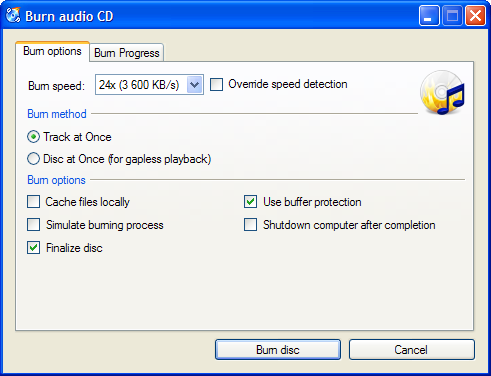
CDBurnerXP ver. 4.5 is a versatile tool for burning CDs and DVDs, offering a wide range of data preservation and audio creation features. This user-friendly software is compatible with various disc formats including CD-R, CD-RW, DVD±R, DVD±RW, DVD-RAM, BD, and HD-DVD, even supporting double layer mediums. It’s particularly notable for supporting M-Discs, ensuring up to 1000 years of data preservation.
Currently, there is no specific review data available for CDBurnerXP.
Key Features of CDBurnerXP include:
- Data CD/DVD creation with support for multiple disc formats.
- Ability to burn mp3-CDs and create bootable discs.
- Disc spanning to distribute data across multiple discs.
- Automatic verification of data after burning.
- Drag-and-drop functionality for easy file addition.
- Capability to import and edit previous sessions and quickly erase discs.
- Audio-CD creation from various formats like MP3, WAV, OGG, and FLAC.
- Gapless audio CDs, support for ReplayGain, CD-Text, and CUE sheets.
- ISO features include burning, creating, and converting ISO files.
- Simple cover printing, LightScribe integration, and command line version.
- Supports most IDE, USB, Firewire, and SCSI drives with a multi-language interface.
- Online updates and access control for restricted users.
The software is available for free, making it a cost-effective solution for your disc-burning needs.
For more information, visit the CDBurnerXP website.
7. PowerISO
All-in-One ISO Management
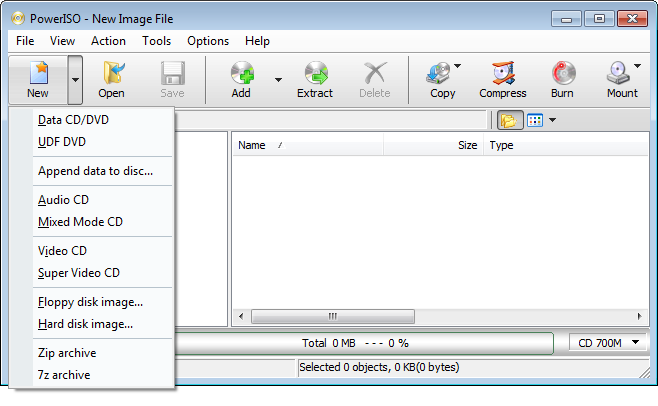
PowerISO is a comprehensive disk image utility for various CD, DVD, and BD image files, including ISO and BIN formats. It supports a wide range of functions:
- Open, burn, create, edit, compress, encrypt, mount, and extract ISO files.
- Supports DAA files with features like compression and password protection.
- Burns ISO files to CD, DVD, or Blu-Ray; creates Audio CDs and Video DVDs.
- Extracts and converts audio from CDs.
- Edits ISO image files directly.
- Mounts ISO files with an internal virtual drive.
- Converts image files between ISO/BIN and other formats.
- Creates bootable USB drives and CDs/DVDs.
- Compatible with 32-bit and 64-bit Windows, including Windows 11, 10, 8, 7.
For pricing and detailed reviews, please visit the PowerISO website.
8. Folder2Iso
Simple Folder to ISO Maker
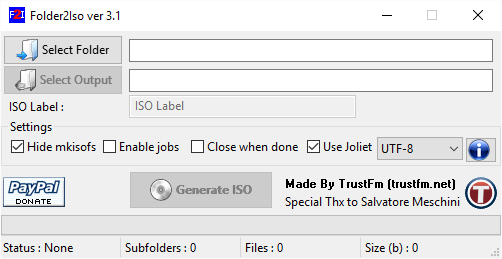
older2Iso is a versatile software designed to create ISO files from any folder. It’s compatible with Windows and Linux, offering a user-friendly interface that supports drag and drop, multiple jobs, and command line options. This portable application doesn’t require installation and is small, making it convenient for various users.
Key Features of Folder2Iso include:
- Compatibility with Windows XP, Vista, 7, 8, 10, and Linux.
- Supports drag and drop from version 2.0.
- Multiple jobs and command line options from version 3.0.
- Ability to handle sub-folders within the root folder.
- Ported under Linux in version 3.1.
- Freeware with no installation needed.
- Updated regularly, with the latest version featuring a new compiler and enhanced GUI.
Folder2Iso is free to download and use, emphasizing its accessibility to many users.
For more details and to download, visit Folder2Iso Official Page.
FAQs
Q1: What are the benefits of using an ISO creator?
A1: ISO creators simplify backing up and distributing large software programs, allowing easy creation and management of ISO files.
Q2: Can I mount an ISO file without burning it to a disc?
A2: Yes, many ISO creators offer the functionality to mount an ISO file, allowing it to be used as a virtual drive.
Q3: Are there ISO creators suitable for non-technical users?
A3: Yes, there are user-friendly ISO creators available, like Ultimate ISO Maker, that are suitable for users without technical expertise.