

Depending on which study you look at, only about a third of product initiatives ever hit the business goals they were funded for. The rest stall, ship late, or launch with a lot of noise and very little impact. When I talk to founders who missed their targets, there is almost always a common thread. They guessed instead of measuring, and they gambled on tech buzzwords instead of clear thinking.
The same pattern shows up with automation. Vendors talk about magic, but the data is brutal. Around 73 percent of so‑called intelligent automation efforts fail to meet expectations, not because the tools are bad, but because teams answered the basic question “What is intelligent automation?” with a vendor slide, not with a real definition grounded in their business.
W. Edwards Deming put it well: “In God we trust; all others must bring data.”
I have spent more than 25 years building and fixing SaaS products, WordPress platforms, and automation programs. I have seen intelligent automation increase activation rates, cut support tickets, and take busy founders out of spreadsheet hell. Not only that, but I have also seen expensive “AI projects” turn into shelfware that no one trusts, while the team loses faith in both the tech and the leaders who pushed it.
This article has no room for buzzwords or wishful thinking, and I do not have patience for either. I am going to give a direct answer to what intelligent automation actually is, why most teams get it wrong, and how to think about it inside a real product. By the end, you will know how to spot real IA opportunities, how to avoid the mistakes that create that 73 percent failure rate, and how to decide if you need help before you commit serious money to your next automation bet.
What Intelligent Automation Actually Is (Not What Vendors Sell You)
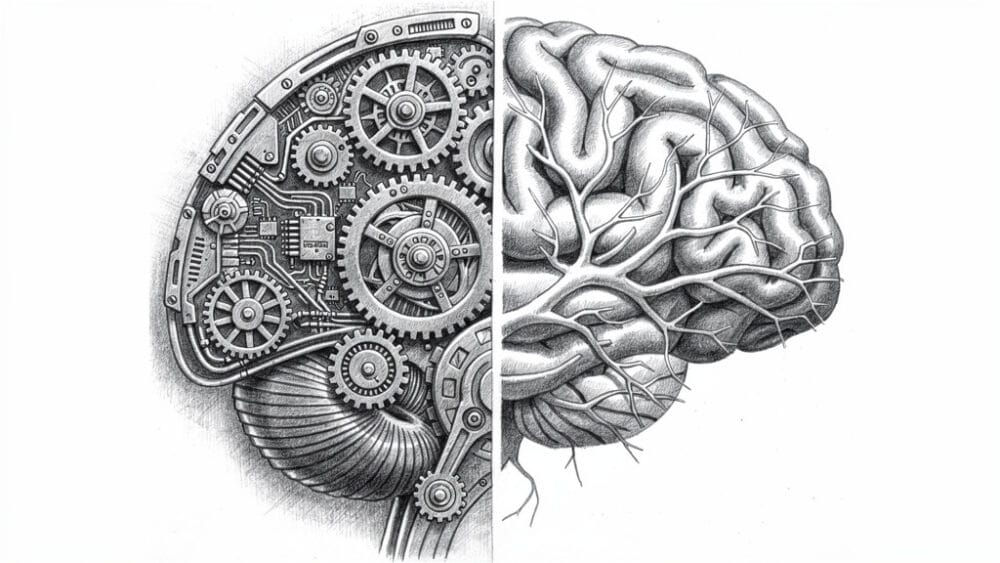
When people ask what intelligent automation is, they often get a glossy pitch about a single tool or a chatbot. That is not what I mean when I talk to founders about IA. I treat intelligent automation as a product capability, not a feature badge on a sales page.
In plain terms, intelligent automation (IA) is the deliberate mix of AI decision engines and process automation that runs end-to-end across a workflow. It has two broad sides:
- The “thinking” side. Machine learning models, natural language processing, and computer vision read data, spot patterns, and make choices.
- The “doing” side. Robotic process automation and business process management click the buttons, move the data, and guide the flow from start to finish.
The word intelligent matters here. Traditional automation follows a fixed script and falls over as soon as a field name changes or an input looks different. Intelligent automation uses data to adapt. It can handle exceptions, pick between paths, and improve its own rules over time instead of waiting for a developer to rewrite every edge case.
This is also where most confusion starts. Intelligent automation is not just “AI features” inside a product, and it is not just a bundle of RPA bots with a model bolted on top. It is a stack where each layer talks to the others, shares data, and creates a feedback loop between what the system sees and what it does next.
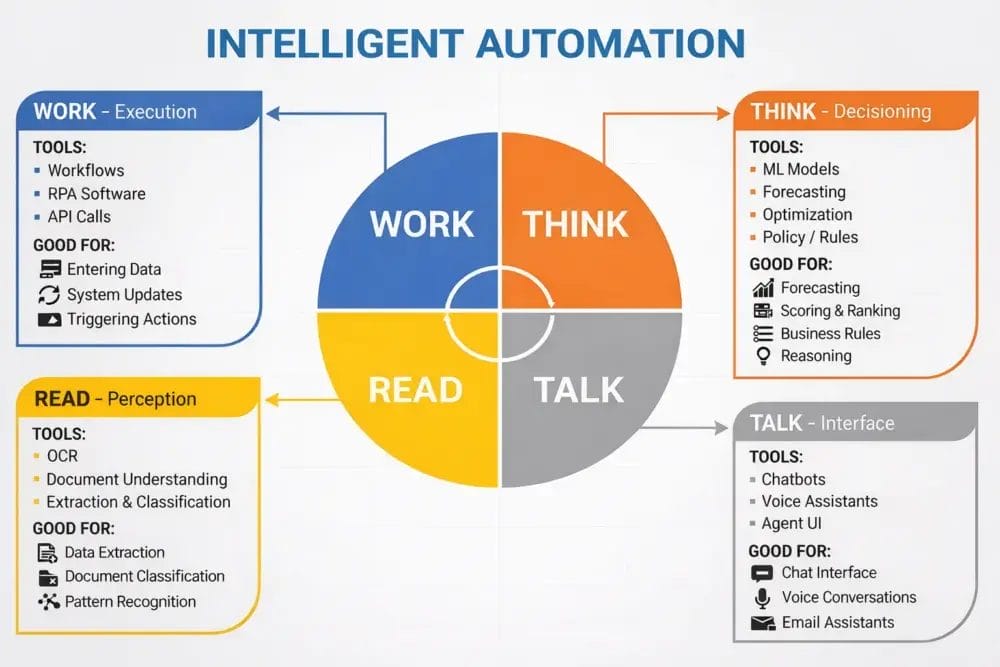
From a business angle, IA is only worth the effort when it sits on top of real processes that move revenue, costs, or risk. A clever model that does not connect to billing, onboarding, support, or operations is a demo, not automation. That is why I talk about automation maturity. Many teams are still at the simple script or RPA stage but are already pitching “intelligent automation” to the board, which sets them up for broken promises later. Understanding automation’s impact on workplace dynamics is crucial for aligning technology with organizational goals. Companies must assess how automation can enhance collaboration, reduce repetitive tasks, and ultimately lead to a more agile workforce. As teams evolve their strategies, the focus should remain on integrating solutions that genuinely add value to their operations.
The 5 Critical Misconceptions Causing 73% Of IA Projects To Fail

Before any code is written, most intelligent automation projects are already set up to miss the mark. The problem is not the tools, it is the mental model in the heads of the founders, product leaders, and vendors who pitch them. I keep seeing the same five misconceptions in failed projects, and every one of them is strong enough to waste a six‑figure budget on its own.
Misconception #1 “We Bought An AI Tool, So We Have Intelligent Automation”
Buying a tool with an “AI” badge does not mean the product now runs on intelligent automation. I see teams install a chatbot, add a recommendation engine, or plug in a language model and then declare victory. At best, they have added one smart component inside one feature. Intelligent automation demands that these models connect with the rest of the stack, trigger actions, and receive outcomes as feedback. If all you did was add an AI feature in a corner of the app, you paid for a shiny add‑on, not a new operating model.
Misconception #2 “RPA Bots + Machine Learning = Intelligent Automation”
The second trap is the mashup play where teams bolt a machine learning model onto an RPA script and give it a grand name. On paper it sounds smart; in practice it creates a brittle system that breaks every time the process changes. Without clear data pipelines, monitoring, exception handling, and a process layer to coordinate work, the model and the bots do not really work together. If your setup needs constant babysitting from engineers or analysts, it is not intelligent, it is fragile.
Misconception #3 “Intelligent Automation Means 100% Lights-Out Operations”
Plenty of board decks still show a dream of turning whole departments into lights‑out, human‑free machines. That picture is not only wrong, it is harmful. The best intelligent automation programs keep humans in the loop for review, tricky cases, and continuous tuning. When leaders sell IA as a job killer, people resist the project, hide issues, and refuse to trust the outcomes. When they see it as a way to drop low‑value work and focus on real problems, adoption goes up fast.
As Satya Nadella has noted, the real power of AI is to “amplify human ingenuity,” not to replace people.
Misconception #4 “We’ll Automate Everything, Then Figure Out The Strategy”
This one shows up when teams fall in love with tools before they understand their processes. They start by asking what can we automate instead of what should we automate. So they burn months wiring up low‑value workflows while the biggest bottlenecks keep hurting customers and staff. Intelligent automation only pays off when it targets steps that move revenue, margins, or experience. The order matters; you map and size the process first, then decide where automation gives the best return.
Misconception #5 “Intelligent Automation Is A One-Time Implementation”
The last myth is treating IA as a single project with a cutover date. In reality, anything that claims to be intelligent but never changes after launch is lying. Models drift, products change, and customer behavior shifts. That means someone has to own monitoring, retraining, and new use cases, just like you own your core product roadmap. The companies that win treat intelligent automation as a long‑term capability, with clear owners, budgets, and success metrics.
The Technology Stack That Actually Powers Intelligent Automation

You do not need to be an architect to run a smart automation program, but you do need a clear picture of the main building blocks—research from AgentAI: A comprehensive survey shows that understanding distributed AI architecture is critical for Industry 4.0 applications. Knowing how the stack fits together helps you ask better questions, ignore vendor drama, and spot gaps that would hurt you later.
- AI and machine learning act as the brain. They read structured and unstructured data, find patterns, and predict outcomes. In practice, this might be a churn model, a routing model for support tickets, or a risk score. None of that works well without clean data, clear labels, and a way to feed results back into the model.
- Robotic process automation plays the hands. These software bots click buttons, copy data, and trigger actions across web apps and legacy screens. They shine on high‑volume, rule‑based work that would bore a human. When tied to an AI decision, they can move faster than a team of people while following the same rules every time.
- Business process management works as the conductor. It defines the steps, branches, and approvals that make up a full workflow. It decides when a bot runs, when a model scores, and when a human needs to review a case. Without this layer, you just have a pile of scripts instead of a reliable process.
- Natural language processing deals with text and speech. It reads emails, chats, forms, and documents so the rest of the stack can act on that information. With good NLP, you can triage tickets, classify requests, or extract key fields from long messages. That turns messy communication into structured inputs for your automations.
- Computer vision and OCR give your stack eyes. They pull data out of scans, screenshots, and camera feeds. In a SaaS or WordPress product, this might mean reading invoices a customer uploads or checking image content for policy issues. Once the data is extracted, the rest of the system can treat it like any other input.
- Generative AI adds reasoning and content creation. It writes draft replies, summarizes long records, and can even help design new automations from plain language prompts. Used with guardrails and logging, it turns IA from a set of narrow tools into a more flexible assistant for both your team and your users.
Andrew Ng has compared AI to “the new electricity” because it flows through many parts of a business rather than living in a single app.
The real power of intelligent automation comes from how these parts talk to each other. Data needs to flow cleanly between them, and events in one layer should trigger work in the others. You can stitch this together yourself from point products, or you can pick a platform that already links most of these layers and then fill the gaps carefully.
How I Evaluate IA Opportunities in SaaS and WordPress Products
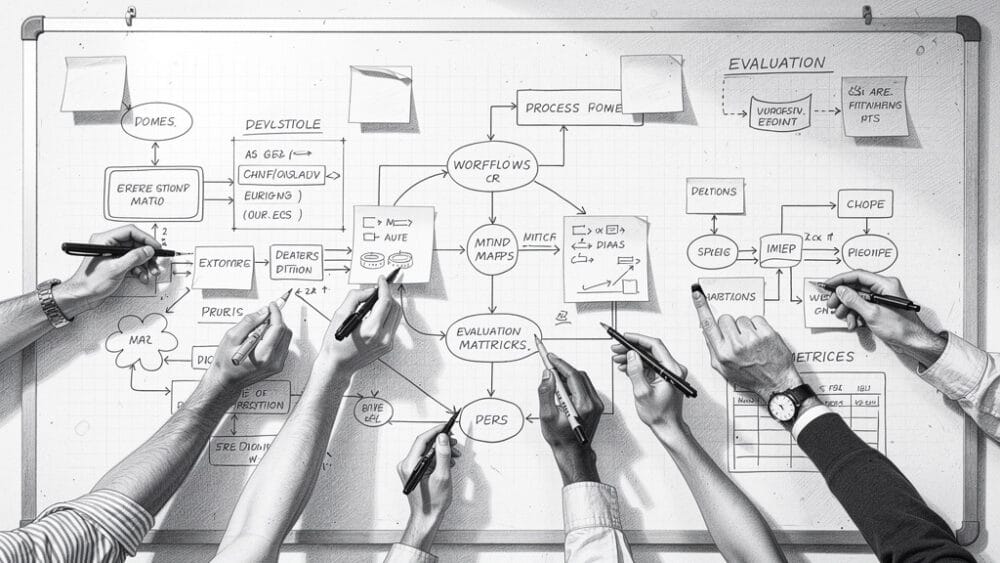
When a founder asks me where to start with intelligent automation, I do not open a tool catalog. I open a whiteboard. The goal is to find the narrow set of processes where IA will push hard on revenue, retention, or cost and ignore the rest for now.
Over time I have settled on a simple checklist that works across SaaS products and large WordPress platforms. You can walk through the same steps with your team before you sign any contracts.
- I map process impact first. We list flows such as onboarding, billing, support, publishing, and renewals, then mark which ones touch revenue, churn, or user trust. If a process does not move at least one of those, it drops off the IA list.
- I rank each process by both volume and mental effort. High‑volume work that needs judgment or uses messy inputs is a strong IA match. Low‑volume or basic tasks stay on basic scripts or manual checklists.
- I check data readiness before anyone dreams up clever models. If tracking is broken, fields are inconsistent, or key steps live in inboxes, we stop and fix that. Intelligent automation that starts from bad data only produces faster mistakes.
- I measure the human cost and the automation tax. That means hours, error rates, rework, and the lost work those people could do instead. Then we add realistic effort for maintenance and tuning to see if the plan still makes sense.
- I ask how strategic the idea is and how it compounds. Does it enable new product behavior or only speed up a back office step? Does it make the next three automations easier by reusing data and components? If rivals can copy it in a sprint, it is not a long‑term edge.
One SaaS team I worked with used this method on their onboarding flow. We spotted a mess of manual checks and copy‑paste work that slowed new accounts for days. After we added document checks, smart defaults, and guided steps, activation time dropped by about 40 percent and early support tickets fell by roughly a quarter.
Why Ruhani Rabin’s Approach to IA Actually Works

By the time founders reach me, Ruhani Rabin, many have already been burned by at least one automation pitch. They bought a tool pushed by a vendor or hired a consultant who wrote a thick report and left. My work with intelligent automation has to stand on product results, not on pretty decks.
- I am not selling a platform. I bring more than 25 years of shipping and fixing SaaS and WordPress products, which means I have seen both wins and expensive mistakes. That history lets me push back when a plan looks risky, even if it sounds exciting.
- I always start with process analysis and numbers. We map where revenue, churn, and support pain show up, then pick a narrow slice that can move one of those metrics fast. Tools only enter the picture once that target is clear.
- I design automation around people instead of around bots, aligning with findings from the Future of Work with AI agents that emphasize augmentation over full replacement across workforce applications. That includes human review paths, clear system logs, and simple controls for turning features on or off when something looks wrong. This limits risk and keeps trust high across product, ops, and security teams.
- I work as a Fractional CPO, not just an AI advisor. Every IA idea must fit the product strategy, pricing, and roadmap. Deep time in SaaS and WordPress at scale helps me spot edge cases like plugin clashes, hosting limits, and UX friction that pure AI consultants tend to miss.
- I put current AI and large language models into production and measure them. We track impact on revenue, cost, and satisfaction, and we build a light center of excellence so your team can keep improving the system without me.
This mix of product leadership, technical depth, and blunt honesty is what makes my approach work. It is not about chasing every new model; it is about picking the few moves that will matter for your product and making sure they land. Learn more about my work approach.
Conclusion
Intelligent automation is not failing because the tech is weak. It is failing because many teams still treat it as a magic feature or a one‑time project. That is how you end up in the 73 percent of efforts that burn money, drain trust, and leave everyone saying “we tried AI and it did not work here.”
The upside for the teams who get clear on what intelligent automation really is could not be bigger. They build products that onboard faster, support customers with less friction, and scale without hiring in direct proportion to growth. The gap between those teams and the ones still stuck at simple scripts is widening every quarter.
If you lead a SaaS or WordPress product, the next step is not to buy more tools. The next step is to map your key processes, check your data, and decide where IA has a real shot at a ten‑times return. If you want someone who has done this many times to sanity‑check your ideas and help you avoid the standard traps, that is the work I do every week.
FAQs
Founders usually ask the same few questions once they understand what intelligent automation really means. These answers come from real projects I have run or reviewed, not from theory. Use them as guardrails while you think about your plans.
Question How Much Does Implementing Intelligent Automation Actually Cost?
Costs vary a lot by scope, but there are clear bands I see often. A focused pilot that changes one process in a SaaS or WordPress product typically lands between twenty‑five thousand and seventy‑five thousand dollars. Larger programs that touch many systems can run from fifty thousand into the mid six figures. The main cost drivers are platform fees, integration work, data cleanup, training, and ongoing care. Skipping the last two is how budgets spiral later.
Question Can Small SaaS Companies And Startups Benefit From Intelligent Automation, Or Is It Only For Enterprises?
Small SaaS teams and startups frequently get the most value from intelligent automation. Every blocked ticket, failed onboarding, or delayed invoice hits them harder than it hits a big firm. Automating parts of onboarding, support triage, lead scoring, or billing can free founders from reactive work and improve cash flow. Modern low‑code tools and fractional help mean you do not need an enterprise budget. In many cases, one well-chosen automation buys back a full headcount.
Question What’s The Difference Between Intelligent Automation And Just Using AI Tools Like ChatGPT In My Workflow?
Using AI tools like ChatGPT in your daily work is helpful, but it is not the same as intelligent automation. In that case you are still copying and pasting between systems, and you are the glue that holds the flow together. With IA, the models connect straight to your data and apps , and the process runs by itself under clear rules. The system also tracks results and can improve over time, instead of relying on your memory.
Question How Long Does It Take To See ROI From An Intelligent Automation Project?
For a narrow, well-defined use case, I expect to see early signs of return within three to six months. The first month or two usually goes into process mapping, data checks, and design. The next several weeks cover build, testing, and rollout. After that, there is a period of tuning where the model and the team both learn. Bigger programs can take a year or more, but even there I push for quick wins inside that window.