

Only a small slice of product teams hit their growth and revenue targets on time. The ones that do rarely work harder; they work smarter with automation and they measure it. The benefits of automation in business are not about pretty dashboards. They are about numbers that prove whether the time and money you put in actually come back.
After nearly three decades in SaaS, WordPress at scale, and product leadership, I have little patience for buzzwords. I have seen automation projects that print money every quarter and others that burn budget because nobody tied them to real metrics. The difference is simple: one group measures specific outcomes; the other just hopes for “efficiency.”
“What gets measured gets managed.” — Peter Drucker
This article walks through 12 proven ROI metrics that show the real benefits of automation in business. These are numbers I use with founders, product owners, and leadership teams to justify spend, fix funnels, and scale without breaking teams or infrastructure. By the end, you will have a clear scoreboard across finance, product, customer success, and people operations – and a way to guide your next automation move without guessing.
What Is Business Automation And Why ROI Measurement Matters

When I talk about business automation, I mean the deliberate use of technology to run repeatable processes with little or no human touch – from invoicing and account provisioning to deployments and support routing. The goal is straightforward: move repetitive work from people to reliable systems so people can focus on judgment, creativity, and customer value.
There are two levels:
- Task automation: scripts or simple workflows that move data or trigger one-off actions.
- Strategic automation: connected workflows that reshape how teams operate, such as end‑to‑end onboarding across product, billing, and support.
Research on technology dimensions of automation in business process management shows that strategic automation delivers measurably stronger outcomes than isolated task automation.
The real benefits of automation in business appear at the second level, where automation lines up with revenue, cost, and customer experience targets.
Executives do not fund “efficiency” in the abstract. They want to know:
- How many hours were saved
- How many errors disappeared
- How much faster cash comes in
- How that links to profit and growth
“In God we trust; all others must bring data.” — W. Edwards Deming
A useful automation ROI metric is:
- Measurable with real data
- Causally linked to the automation work
- Connected to a business outcome (revenue, cost, risk, satisfaction)
- Trackable over time
In my fractional CPO and consulting work, I rely on the 12 metrics below as a standard frame. Finance gets payback and cost views, product and engineering get speed and reliability, and customer teams see churn and satisfaction in hard numbers.
The 12 Proven ROI Metrics From Business Automation

The benefits of automation in business span money, speed, quality, customers, and people. No single metric tells the whole story, which is why I use a balanced set of 12.
My approach to this is simple: I do not care how shiny a tool is; I care whether we can measure its effect. Treat this as a menu. Start with the metrics that match your biggest pains, then add more as your automation strategy matures.
1. Labor Cost Reduction Percentage
This is the cleanest financial signal that automation works. It measures how much less you spend on human time for a process after automation.
Formula:
labor cost reduction % = (hours saved × fully loaded hourly rate) / total process cost × 100Fully loaded cost includes salary, benefits, taxes, office, and management time. For repetitive work – data entry, document checks, basic reporting – it is common to see 30–70% less labor per process.
You do not have to cut headcount. The smarter play is to reassign people to higher‑value work such as product improvements or customer relationships. Track this metric monthly per process so you can spot new chances to remove manual steps.
2. Process Cycle Time Reduction
Process cycle time is the total time from start to finish for a process: quote creation, signup to first value, code commit to production, and so on. Automation often cuts this sharply.
Steps:
- Measure baseline cycle time across a sample of cases.
- Automate the process (or key steps).
- Measure again and compare.
Faster quotes close more deals, faster onboarding keeps more users, and faster releases let product teams respond to feedback before competitors do. For high‑impact flows (pricing, onboarding, billing, support), I like weekly tracking, with alerts if times drift upward.
3. Error Rate Reduction and Quality Improvement
Automation shines on consistency. Error rate is the count of mistakes per unit of work – per order, record, deployment, or claim.
Compare:
manual error rate = manual errors / total manual unitsautomated error rate = automated errors / total automated units
Rule‑based work often sees 60–85% fewer errors after automation. Each error has a visible cost (refunds, rework, support) and a hidden cost (lost trust, churn). In regulated sectors, error‑heavy manual work is a direct risk to revenue and reputation.
I like to track both error rate and cost per error. Multiply them and you get a “quality cost” dollar figure that makes the value of automation obvious in finance reviews.
4. Employee Productivity Increase
Productivity here means meaningful output per person per hour, not busyness. Output depends on the role:
- Sales: deals closed or revenue
- Developers: features or deployments
- Support: cases resolved
- Ops: successful runs per shift
Measure output for a few weeks before automation and again 60–90 days after it stabilizes. Many teams see clear gains because staff spend less time on copy‑paste work and more time on tasks that move the needle.
Think of this as capacity creation. If a team can handle 50% more work with the same headcount, that extra capacity has real monetary value, especially in SaaS where growth can outpace hiring.
5. Cost Per Transaction or Unit Economics Improvement
Unit economics tell you what it costs to deliver one “unit” of value: an order, active user, support case, or deployment.
Formula:
cost per unit = total process costs / number of units deliveredAutomation can lower that cost by removing handoffs, cutting errors, and keeping systems available. Include all process costs – labor, tools, rework, and management time – when you calculate it.
Lower cost per transaction means better margins. You can keep prices and earn more per unit or reduce prices to reach segments that were previously unprofitable.
6. Revenue Impact and Sales Conversion Rate Improvement
Automation in sales and marketing shines when it stops leads from leaking out of the funnel. Most buyers need several touches. Manual follow‑ups miss steps; automated systems do not.
Key numbers to track before and after automation:
- Lead‑to‑opportunity conversion
- Opportunity‑to‑close rate
- Average deal size
- Days from first contact to signed deal
CRM workflows, automated outreach, guided quoting, and in‑product onboarding can all raise conversion rates by removing delays and missed follow‑ups. Basic attribution – tying improvements to a new flow when nothing else major changed – helps you show that automation drove the revenue lift.
7. Customer Satisfaction and Retention Rate Improvement
Long‑term benefits of automation in business show up in happier customers who stay longer and buy more. Automation can make interactions faster, more accurate, and more personal.
Common metrics:
- NPS (Net Promoter Score)
- CSAT (Customer Satisfaction Score)
- CES (Customer Effort Score)
- Retention rate:
retention % = (customers at end − new customers) / customers at start × 100
Automation helps by routing issues to the right person, surfacing context to agents, and sending timely updates. Even a modest retention lift – say 5% – can raise profit significantly, especially in SaaS where churn hits lifetime value hard.
Track satisfaction at least quarterly and tag scores to key automated touchpoints so you can see which flows help and which need refinement.
8. Time-to-Market and Deployment Frequency
For product teams, time‑to‑market is the time from idea or development start to when customers can use a feature. Deployment frequency is how often you ship changes.
High‑performing teams automate:
- Testing
- Environment setup
- Deployments and rollbacks
- Health checks and monitoring
More frequent, smaller releases are usually safer than big rare ones. Automation lets you ship in small slices, learn faster from customers, and resolve issues quickly. Track time‑to‑market, deployment frequency, failure rate, and recovery time together; speed without stability is not progress.
9. System Utilization and Infrastructure Efficiency
System utilization shows how much of your compute, storage, or processing power is doing useful work.
Formula:
system utilization % = productive processing time / total available time × 100Before automation, you may see long idle gaps between jobs or manual steps that hold the system back. With job scheduling, auto‑scaling, and smarter workload routing, you can raise utilization and often delay expensive infrastructure upgrades.
For cloud setups, better utilization usually means lower monthly bills because machines spend less time idle and can shut down when not needed.
10. Compliance Audit Success Rate and Preparation Time
Compliance is an area where automation quietly saves large amounts of money and stress. Key metrics:
- Percentage of controls that pass audits
- Time needed to prepare evidence
- Number of violations or findings
Automation bakes rules into workflows: approvals, access control, logging, and segregation of duties become part of normal work. Systems record who did what, when, and with which data – no manual logs required.
Teams I work with often cut audit prep from weeks of scramble to a few days of pulling reports. That frees people to focus on product and customers instead of chasing screenshots and spreadsheets.
11. Employee Satisfaction and Retention Rate
Automation changes people’s work as much as it changes processes. Removing repetitive tasks gives staff more time for work that uses their skills, which feeds into satisfaction and retention.
Useful metrics:
- eNPS (Employee Net Promoter Score)
- Engagement survey scores
- Turnover rates
Replacing an employee can cost 50–200% of their salary once you include hiring, training, and lost productivity. If automation reduces turnover, the financial gain is large. Short twice‑yearly surveys about how automation helps – or frustrates – staff can guide your next improvements.
The goal is role evolution, not elimination: moving people toward more in-depth analysis, customer work, and cross‑team projects.
12. Return On Automation Investment (ROAI)
ROAI pulls everything into a single number that finance and executives can use.
Formula:
ROAI % = (total gains from automation − total automation costs) / total automation costs × 100Total gains come from:
- Labor savings
- Lower error and rework costs
- Higher revenue and better retention
- Avoided infrastructure and compliance costs
Total costs include licenses, setup, consulting, training, change management, and support. I am strict about including all of these so ROAI is honest.
Well‑chosen projects often reach 200–400% ROAI over 18–24 months. The first year can look modest as costs hit early and gains ramp up. Review ROAI at least quarterly and compare actuals to forecasts; your selection of future automation projects will improve rapidly.
How to Measure and Track Automation ROI in Your Organization
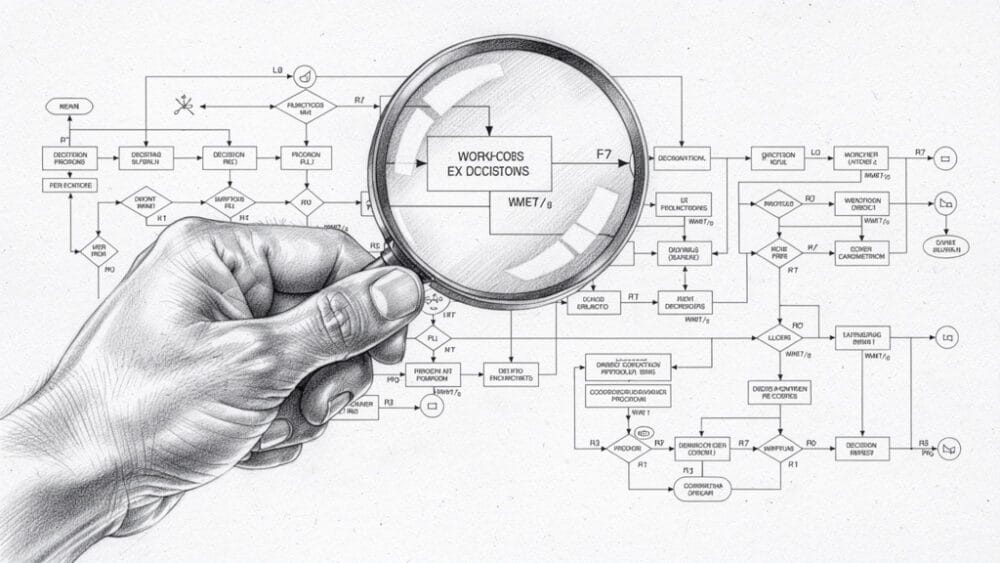
Good measurement starts before you turn on a new tool, and recent studies on how artificial intelligence shapes research productivity demonstrate that systematic measurement frameworks significantly improve decision-making quality in business operations. Without a baseline, it is challenging to prove the benefits of automation in business later.
I use a four‑stage framework:
- Baseline – Measure current performance for the chosen process.
- Implementation – Track adoption and issues, but avoid big ROI claims yet.
- Stabilization (60–90 days) – Collect steady post‑automation numbers.
- Optimization – Refine workflows based on what the metrics show.
Not every metric matters for every business. A small WordPress product shop might focus on cost per support ticket and time‑to‑market. A mid‑size SaaS team may care more about deployment frequency, churn, and unit economics. Start with three to five metrics that match your main goals and pains.
Isolating automation impact can be tricky when other changes happen. Phased rollouts or simple control groups – routing part of the work through the old flow, part through the new – help tease apart effects. Someone should own this measurement work so dashboards stay current and insights do not get lost.
Choosing the Right Processes to Automate for Maximum ROI
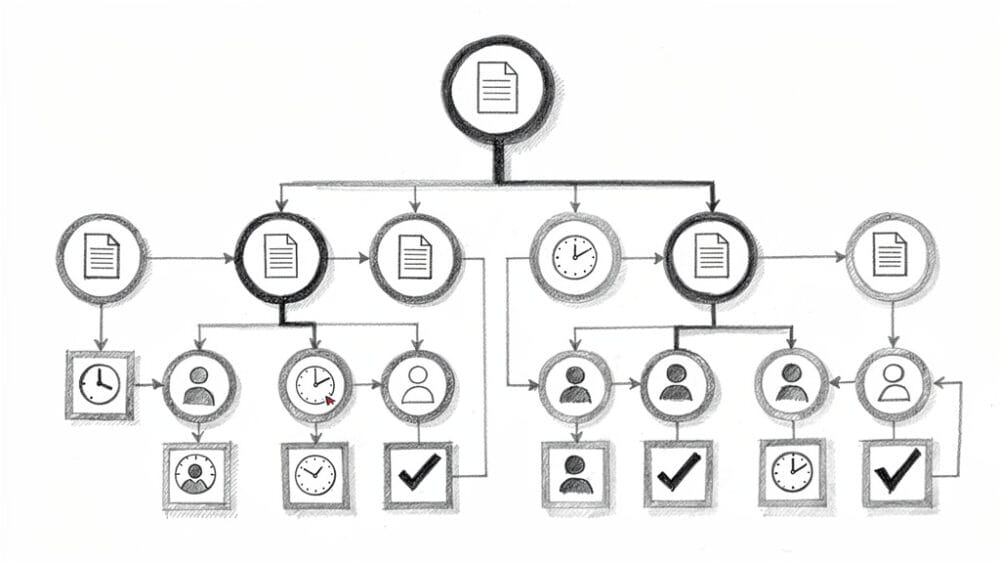
Not every process is worth automating. Some are rare, messy, or rely heavily on nuanced judgment.
“The first rule of any technology used in a business is that automation applied to an efficient operation will magnify the efficiency; automation applied to an inefficient operation will magnify the inefficiency.” — Bill Gates
I score each candidate process on three factors:
- Frequency – How often it runs (daily/hourly beats quarterly).
- Impact – How much it affects revenue, cost, risk, or experience.
- Feasibility – How rule‑based and well‑understood the steps are.
Predictive insights from leveraging artificial intelligence for strategic decision-making confirm that this scoring approach significantly improves automation project success rates.
High scores move to the top of the list. I avoid automating broken processes; that just makes bad outcomes arrive faster. Rare flows usually do not pay back the effort, and processes that depend on deep human judgment often benefit more from light assistive automation than full control.
Good early candidates include:
- Data entry and sync between systems
- Standard reports
- Customer notifications
- Approval flows
- System monitoring and alerting
When I work with founders through Ruhani Rabin, we bring process owners into the discussion early and build a simple 12–18‑month automation roadmap ordered by expected ROI and technical readiness.
Common Challenges in Proving Automation ROI and How to Overcome Them
Proving automation ROI is hard for almost everyone. Even large companies often miss clean before‑and‑after measurement. The most common issues are:
- Weak or missing baselines – Fix this by running a focused pre‑automation measurement phase, even if it delays the project by a few weeks.
- Multiple changes at once – Use phased rollouts or control groups so you can compare old vs. new flows.
- Intangibles – Morale and brand trust are difficult to price, so use proxies such as turnover, eNPS, NPS, and CSAT, plus short written feedback.
- Long payback periods – Share early leading indicators (cycle time, error rate, activation rates) while bigger ROAI gains build.
- Poor data quality – Add better logging and observability as part of the automation work, not after.
Measurement can feel threatening if people think it is a personal scorecard. I position it as a learning tool for systems, not individuals. When leaders back that stance with their actions, resistance drops and the data gets better.
How Ruhani Rabin Helps Organizations Maximize Automation ROI
Automation is now a strategic topic for most teams I speak with, but also a messy one. Tools overlap, data lives in silos, and internal skills vary. Many founders and product leaders think, “We know there are big benefits of automation in business, but we are not sure where to start or how to prove it.”
This is where my work under Ruhani Rabin fits.
With Fractional CPO services, I step into product leadership and weave automation into roadmaps, architecture, and organization design. The aim is clear: build products and platforms that scale with automation from day one, without turning the codebase or processes into a knot.
Through Growth, Automation & WordPress consulting, I work with founders, WordPress product creators, and SaaS teams to:
- Identify high‑ROI processes to automate
- Choose tools that match their stage and stack
- Tie every project back to the 12 ROI metrics in this article
On the AI and LLM side, I focus on specific use cases – content workflows, support assistance, knowledge retrieval, workflow automation and RPA – always with measurement baked in from day one instead of chasing buzz.
My model is partnership, not “throw a report over the wall.” I help teams pick the right bets, avoid dead‑end automations, set up dashboards, and build high‑trust, high‑speed operations.
Conclusion
Automation is not magic; it is an investment. The benefits of automation in business only matter when they show up in hard numbers on cost, speed, quality, revenue, and people. That is precisely what the 12 metrics in this article cover.
Taken together, they span labor savings, cycle times, errors, productivity, unit economics, revenue impact, satisfaction, retention, infrastructure use, compliance, employee sentiment, and full ROAI (Return On Automation Investment). Measurement is not a side project – it is how leaders decide where to invest next and which automations to keep or redesign.
If it feels overwhelming, start small. Pick two or three metrics that match your main pain, set a baseline, run one focused automation project, and track it honestly. Then repeat. Tools will keep getting smarter – AI, LLMs, and whatever comes next – but this measurement frame will still apply.
Whether you work with me or move ahead on your own, the key is simple: do not just add automation. Prove it.
FAQs
What Is A Good ROI For Business Automation?
For well‑planned projects, a solid target is 200–400% Return on Automation Investment over 18–24 months – that is, two to four dollars back for every dollar spent. That figure should include labor savings, fewer errors, higher revenue, better retention, and delayed infrastructure spend. The exact number depends on your industry, process type, and starting point. First‑year ROI is often lower because setup and training costs hit early while gains build over time.
How Long Does It Take To See ROI From Automation?
Simple, focused automations can show clear gains within 30–60 days of going live – things like automated reminders, small workflow tweaks, or basic job scheduling. Larger projects that span several teams or core systems often take 6–12 months before the full effect shows up. Time‑to‑ROI depends on process complexity, change management, and how ready your data and tracking are. Fast wins appear in cycle times and error rates; retention and lifetime value improve more slowly.
What Are The Biggest Mistakes Companies Make When Measuring Automation ROI?
Common mistakes include skipping baseline measurement, tracking only cost savings while ignoring revenue lifts and satisfaction gains, and stopping measurement once a project “goes live.” Another trap is automating low‑value or rare processes where even perfect execution cannot deliver strong ROI. Many teams also ignore full costs such as training, change management, and ongoing support. A bit of planning around these points makes automation ROI far clearer and more reliable.
Do Small Businesses Need To Measure Automation ROI As Rigorously As Enterprises?
Small businesses often need ROI insight even more because each dollar and hour counts. They do not need advanced analytics tools, though. A simple spreadsheet with a handful of metrics is enough to start. I usually suggest smaller teams focus on two or three of the 12 metrics – often labor savings, cycle time, and revenue impact. Imperfect but honest tracking beats no tracking and helps avoid expensive missteps.
Can You Measure ROI For AI And Machine Learning Automation Differently Than Traditional Automation?
The same core ROI ideas apply to AI and machine learning work, but timelines and details shift. These systems improve as they learn, so you often need a slightly longer window before judging results. Alongside business metrics, track model performance – accuracy, false positives, false negatives, and confidence scores. The key is to connect those technical numbers back to business outcomes such as fewer tickets, faster answers, or better recommendations. In my AI and LLM projects, I watch both model health and the standard automation ROI metrics discussed in this article.