
SEO & Social Metadata
Open PlaceScale → Settings → SEO.
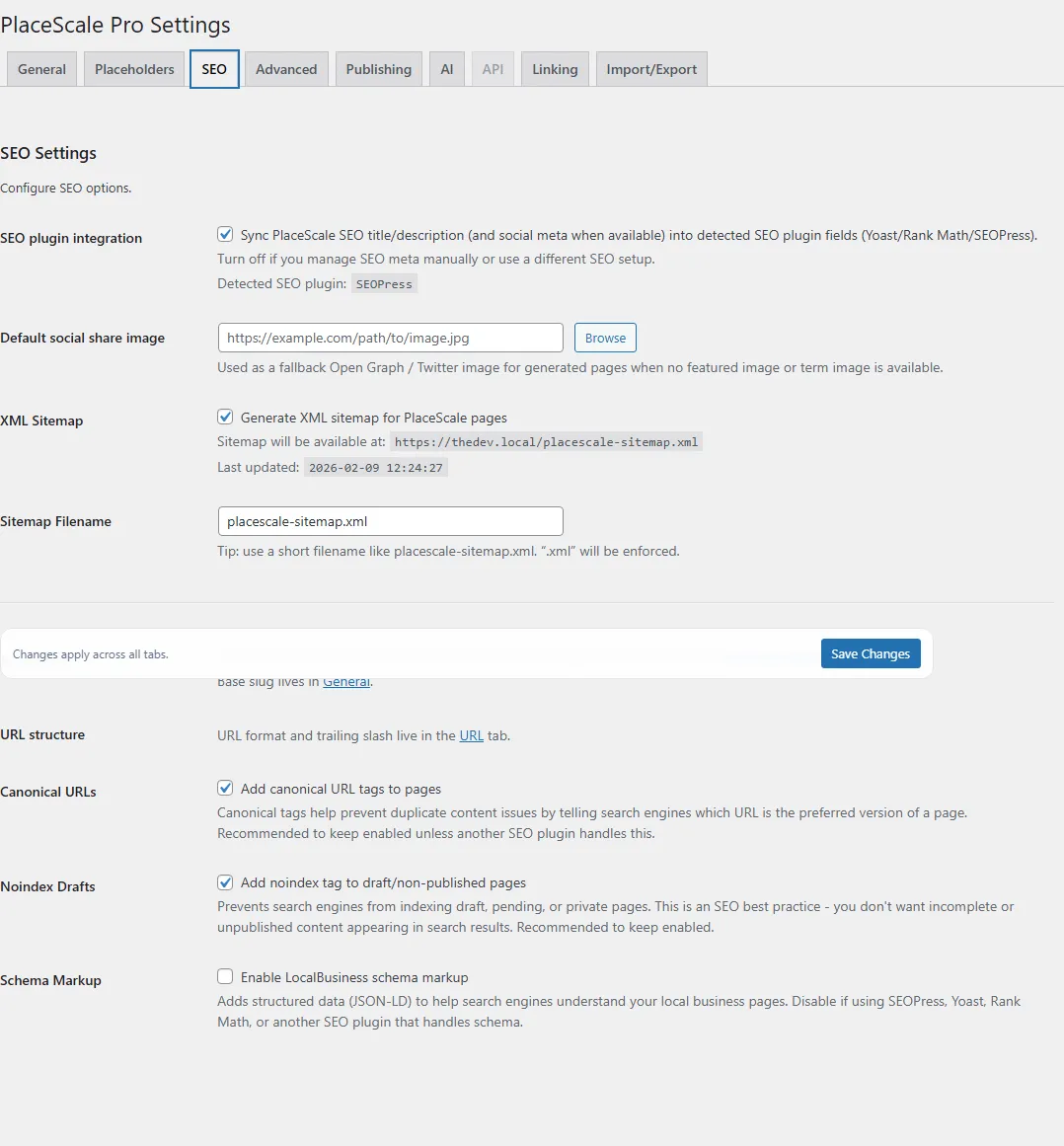
SEO plugin integration
Section titled “SEO plugin integration”Setting:
- SEO plugin integration
When enabled, PlaceScale syncs SEO title/description (and social meta when available) into supported SEO plugins:
- Yoast SEO
- Rank Math
- SEOPress
The Settings screen also displays the detected SEO plugin, if any.
If you manage SEO manually or use an unsupported stack, turn this off.
Default social share image
Section titled “Default social share image”Setting:
- Default social share image
This is a global fallback image used for generated pages when:
- there is no featured image, and
- no term-level image can be resolved
Recommendation: set this even if you plan to use term images.
Term-level social images (recommended)
Section titled “Term-level social images (recommended)”For more specific previews, set a term Custom Field:
- Key:
og_image - Value: full image URL
Typical approach:
- set
og_imageon service terms (when you have fewer services) - optionally set it on locations too
XML Sitemap
Section titled “XML Sitemap”Settings:
- Enable sitemap
- Sitemap filename
See: Sitemap
Canonical URLs
Section titled “Canonical URLs”Setting:
- Canonical URLs
Recommended on, unless another SEO plugin handles canonicals for your pages.
Noindex drafts
Section titled “Noindex drafts”Setting:
- Noindex Drafts
Recommended on to prevent indexing of drafts/pending/private pages.
Schema markup
Section titled “Schema markup”Setting:
- Enable LocalBusiness schema markup
If enabled, PlaceScale prints JSON‑LD using the Schema Template field.
If your SEO plugin already outputs schema, you may want to keep this off to avoid duplicates.
- After changing URL/base slug, flush permalinks.
- Social previews can take time to refresh on platforms (cache).
See also:
- Terms (term Custom Fields)
- Troubleshooting