
Internal Linking
Internal linking is configured in:
- PlaceScale → Settings → Linking
and used in templates with:
{{pscale:links}}
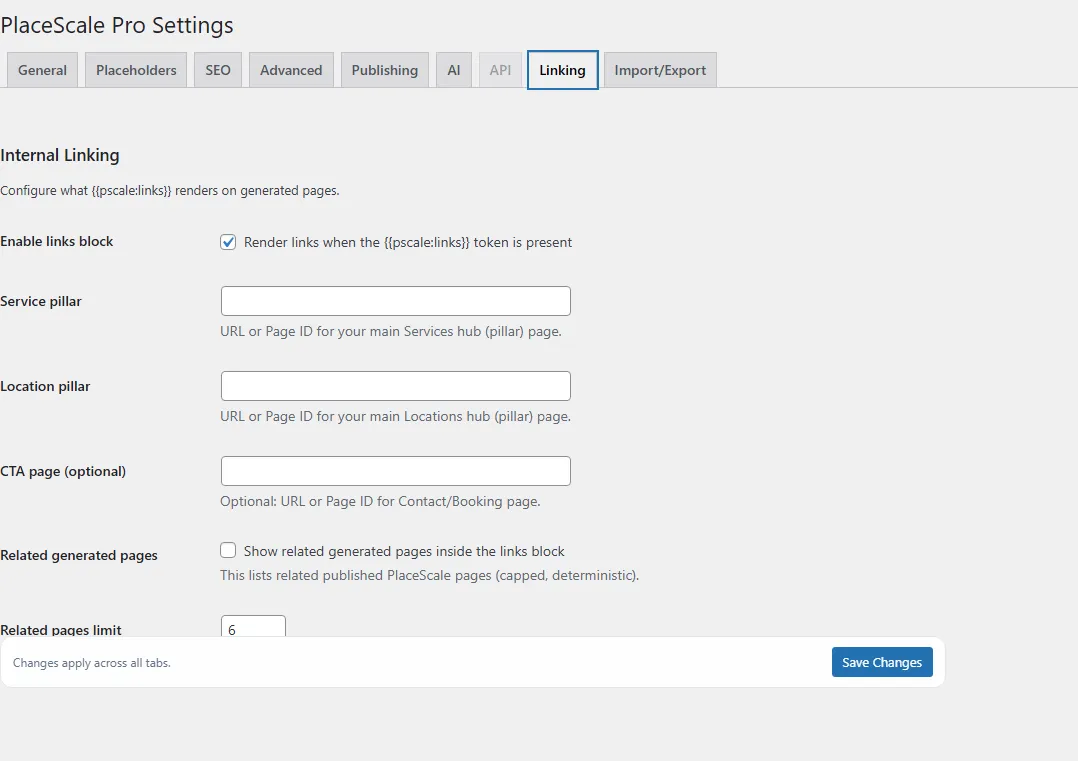
Enable links block
Section titled “Enable links block”Setting:
- Enable links block
When enabled, PlaceScale renders the links block when {{pscale:links}} is present in the template.
Pillar pages
Section titled “Pillar pages”You can provide a URL or Page ID for:
- Service pillar (All services page)
- Location pillar (All locations page)
- CTA page (optional)
Related pages (optional)
Section titled “Related pages (optional)”Setting:
- Enable related pages
When enabled, PlaceScale shows a short list of related generated pages.
- Limit (example: 6)
Template usage
Section titled “Template usage”Add this token in your template content (often near the end):
{{pscale:links}}
Preview checks
Section titled “Preview checks”Bulk Generate → Preview can warn if:
- the template contains
{{pscale:links}}but linking is disabled - linking is enabled but no pillar pages are set
Related: