
Campaign Packs
Campaign Packs help you reuse the same setup on another site.
Open:
- PlaceScale → Tools → Campaign Packs
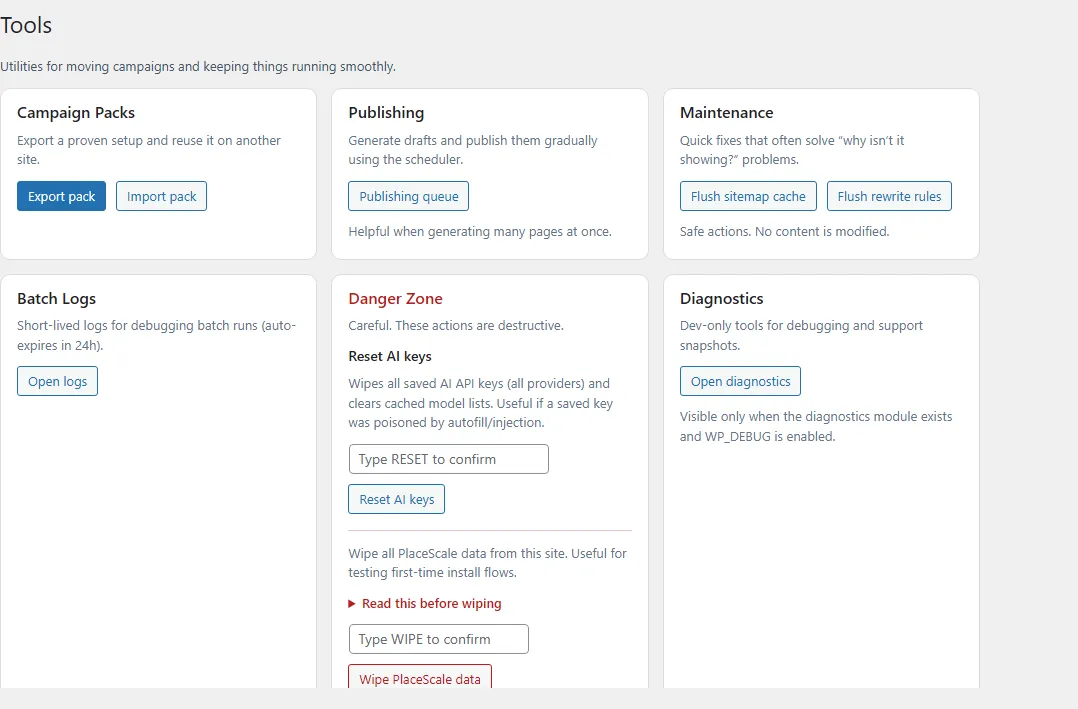
Export
Section titled “Export”- Open Tools → Export pack.
- Review the summary.
- Click Download Campaign Pack (.zip).
A Campaign Pack includes:
- Terms (CSV)
- Templates (JSON): DB templates + Block templates
- Settings (JSON)
- Manifest (JSON): timestamp + counts + versions
Import
Section titled “Import”Open Tools → Import pack.
Import has two steps:
Step 1 — Upload
Section titled “Step 1 — Upload”- Upload the ZIP.
- Wait for PlaceScale to create a preview.
Step 2 — Preview
Section titled “Step 2 — Preview”The preview shows:
- what will be imported
- what already exists (skipped)
Then click Import now.
- If the preview expires, upload the pack again.
- Packs don’t include generated pages.