
AI Slots
AI Slots are Gutenberg blocks that PlaceScale can fill using your own AI provider key (BYOK).
- Block name:
placescale/ai-slot - Output is geofenced: only the content inside the slot wrapper is replaced.
- Generation is limited to core blocks only so your output stays theme-native:
- Heading
- Paragraph
- List
When to use AI Slots
Section titled “When to use AI Slots”Use AI Slots when you want:
- a consistent page layout from your template
- AI-written micro-copy (intro, benefits list, FAQs snippet)
- predictable block output that matches your theme
Add an AI Slot to a template
Section titled “Add an AI Slot to a template”AI Slots are meant to be placed inside a Block Editor template.
- Go to PlaceScale → Templates.
- Edit (or create) a Block Editor template.
- Insert an AI Slot block where you want AI content.
- Put a reasonable fallback inside the slot (short, safe copy).
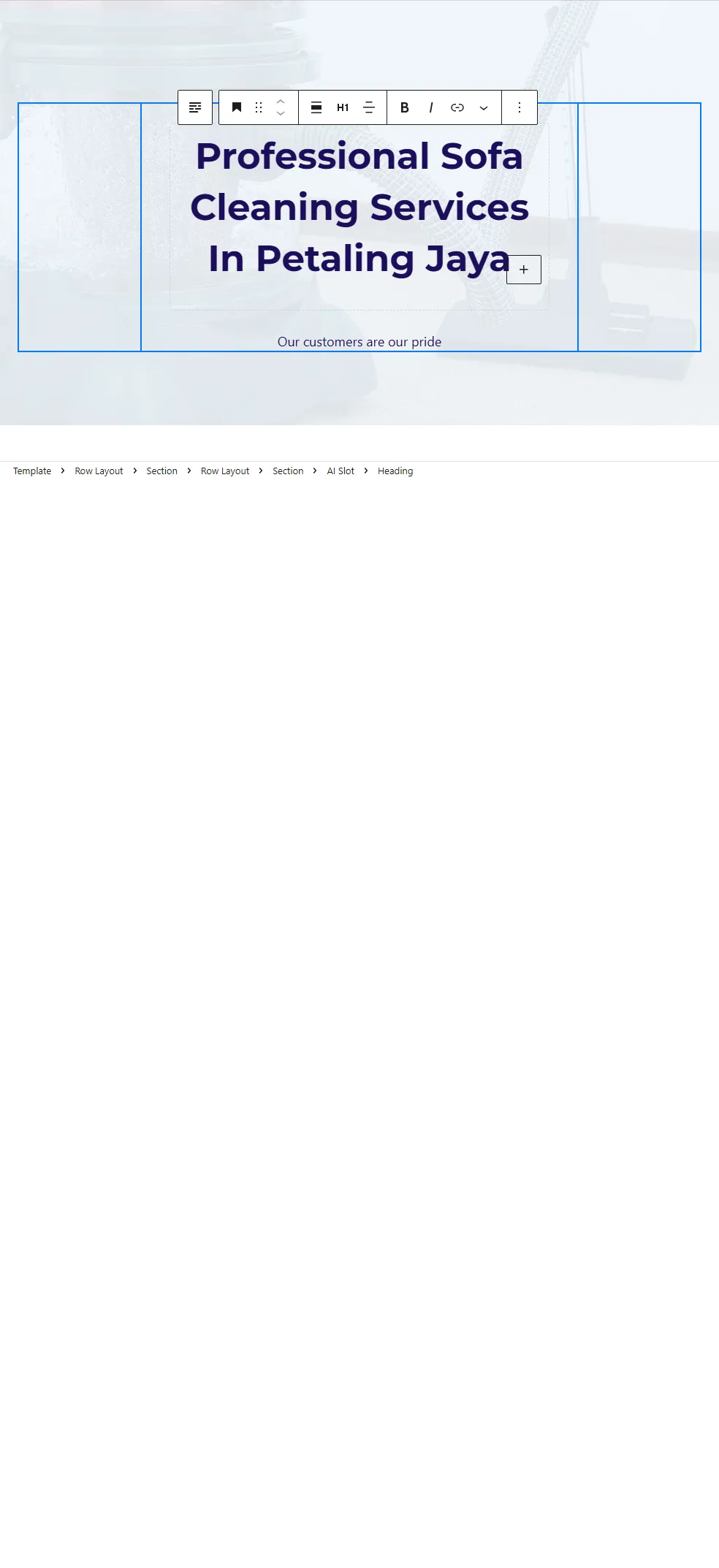
AI Slot sidebar (4-panel structure)
Section titled “AI Slot sidebar (4-panel structure)”The AI Slot block editor features a restructured sidebar with four logical panels:
1. Content Settings
Section titled “1. Content Settings”Configure the core output properties:
- Output type: Paragraph, Heading, Bullets, FAQ, or CTA
- Content length: Short (~50 words), Medium (~120 words), or Long (~200 words)
- Lock slot: Prevent accidental regeneration
- Regenerate button: Prominent primary button to generate AI content immediately

2. AI Instructions
Section titled “2. AI Instructions”Control the style and content of AI-generated text:
- Style preset: Choose from 5 built-in presets (see below)
- Prompt template: Custom instructions for what to write about
Available placeholders in prompts (resolved before AI sees them):
{service},{location}- Term values{usp_1},{usp_2},{usp_3}- Service USPs{usp_1l},{usp_2l},{usp_3l}- Location USPs (note the “l” suffix){month},{year}- Date values
3. Test Preview
Section titled “3. Test Preview”Set test context for previewing AI generation:
- Service: Test service value
- Location: Test location value
- Notes: Additional context for testing
These values are for editor testing only—real pages use actual term values.
4. Power Options
Section titled “4. Power Options”Advanced settings (collapsed by default):
- Profile override: Inherit site default, or force Cheap/Balanced/Quality
- Max output tokens: Override token limit (0 = default)
- Generation scope: Keep custom blocks vs. replace everything
- Slot ID: Optional identifier for debugging
Style presets
Section titled “Style presets”The AI Slot block includes 5 built-in style presets:
| Preset | Description |
|---|---|
| Custom | Use your own prompt template |
| Direct & Punchy | Short, benefit-first, action-oriented copy. Example: “24/7 Emergency Plumbing. Fixed Right. Guaranteed.” |
| Trust & Credibility | Professional copy with social proof. Example: “Licensed, insured, and trusted by 500+ local homeowners.” |
| USP Focused | Highlights your key benefit using {usp_1} |
| USP Stacked | Showcases top three advantages using {usp_1}, {usp_2}, and {usp_3} |
What gets generated (output schema)
Section titled “What gets generated (output schema)”AI Slot generation is constrained on purpose.
PlaceScale will only generate these core blocks:
- Paragraph (
core/paragraph) - Heading (
core/heading) - List (
core/list) - for bullets and FAQs
This keeps output clean and avoids theme-breaking markup.
Styling and structure preservation
Section titled “Styling and structure preservation”When PlaceScale generates an AI Slot:
- it preserves the slot wrapper and its block structure
- it preserves existing block attributes and classes
- it only replaces the text payload inside the allowed blocks
Heading styling preservation
Section titled “Heading styling preservation”If the slot contains a heading, PlaceScale preserves:
- the heading level (H2/H3/etc.)
- text alignment (both block attrs and
has-text-align-*class)
USP Placeholder System
Section titled “USP Placeholder System”AI Slots support USP (Unique Selling Point) placeholders that inject term-specific benefits into AI prompts:
Service USPs
Section titled “Service USPs”{usp_1}- Primary service benefit{usp_2}- Secondary service benefit{usp_3}- Tertiary service benefit
Location USPs
Section titled “Location USPs”{usp_1l}- Primary location benefit (note the “l” suffix){usp_2l}- Secondary location benefit{usp_3l}- Tertiary location benefit
USP data is extracted from term meta before AI generation and applied to all schemas: paragraph, heading, FAQ, CTA, and bullets.
See Terms for how to set USP values on your terms.
Guardrails
Section titled “Guardrails”PlaceScale includes post-generation sanitization to ensure quality:
- Placeholder stripping: Any leftover
{placeholder}patterns (including USP placeholders) are stripped from AI output - Prevents parroting: Stops the AI from echoing back placeholder syntax when values are missing
- Text cleanup: Removes double spaces and fixes awkward punctuation left by placeholder removal
Where AI Slot generation happens
Section titled “Where AI Slot generation happens”You can generate AI Slots in three ways:
- During Bulk Generate (optional; costs tokens)
- Later, for existing pages, via Generated Pages → Bulk Actions → Generate AI Slots (uses the AI Slot Queue)
- Immediately in the template editor using the Regenerate button